Build campaigns that convert — in minutes, not hours.
Templates, naming, choosing dealership, scripts, SMS, date and agent settings in one flow — less setup, faster launches, outcome tracking in CarBoard.
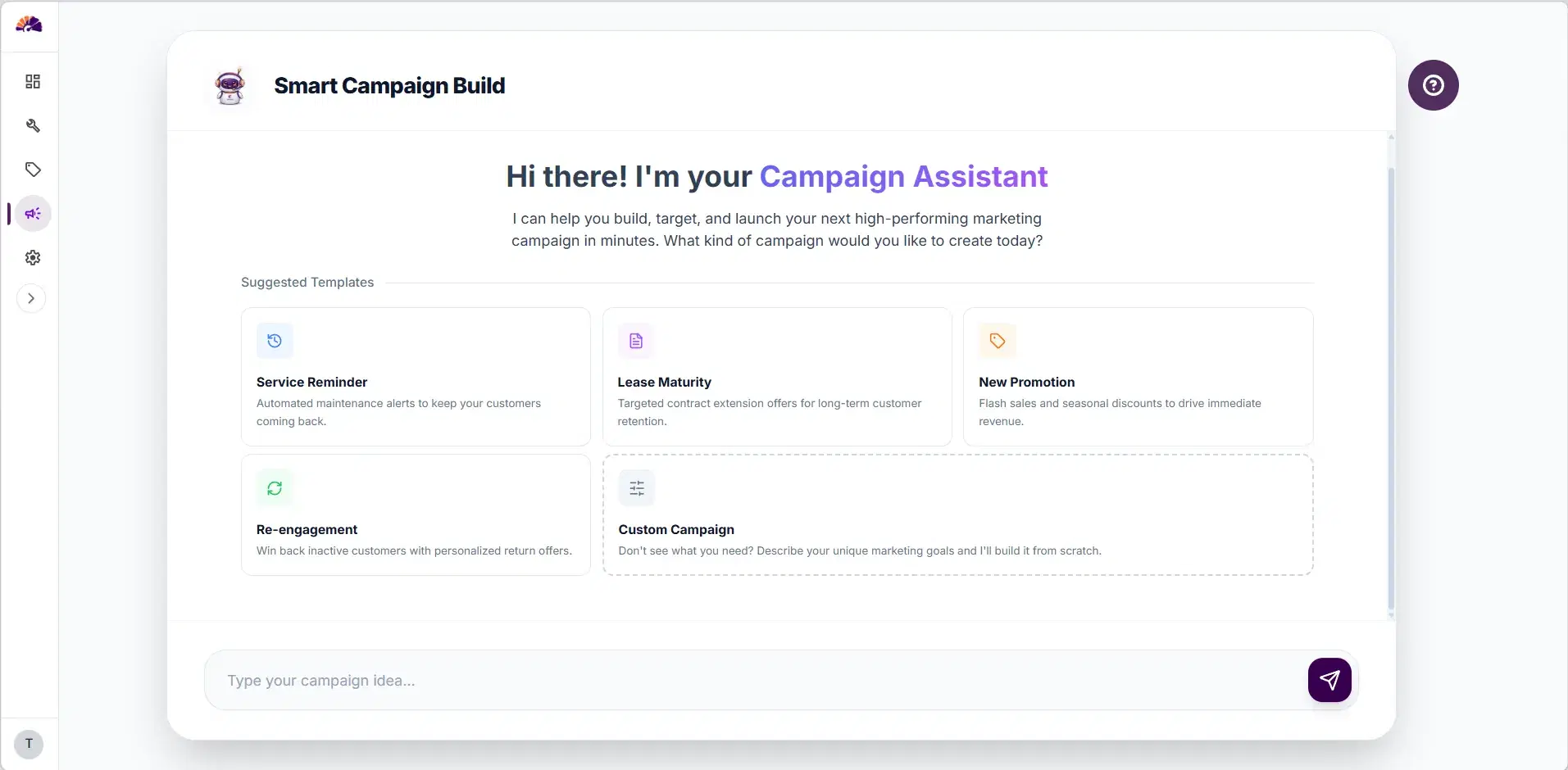
Choose a template
Choose a theme template for your campaign or enter your custom theme in the input box at the bottom to start creating your campaign.
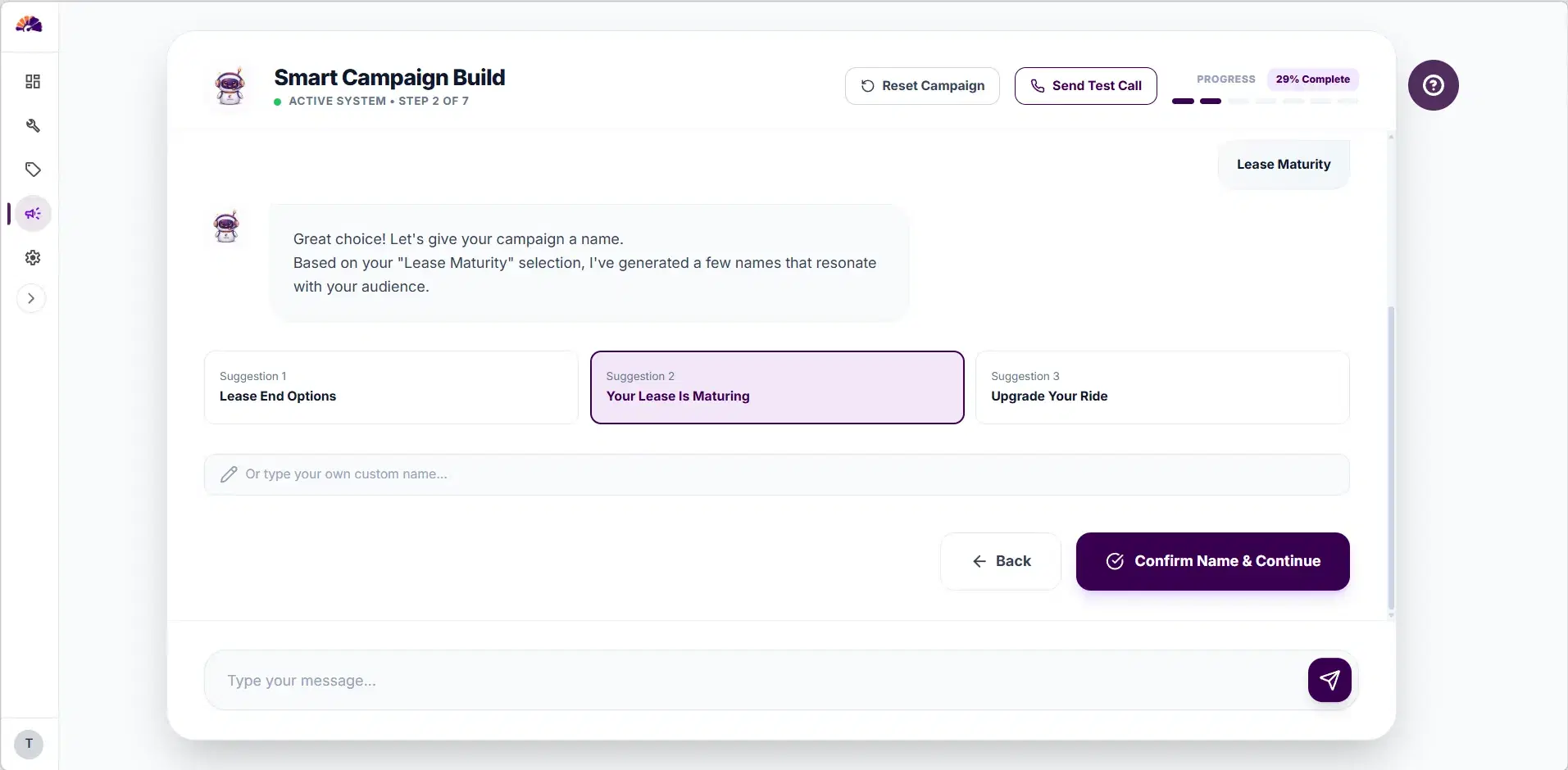
Name the campaign
Accept AI-suggested names or type your own so every campaign reads clear and on-brand.
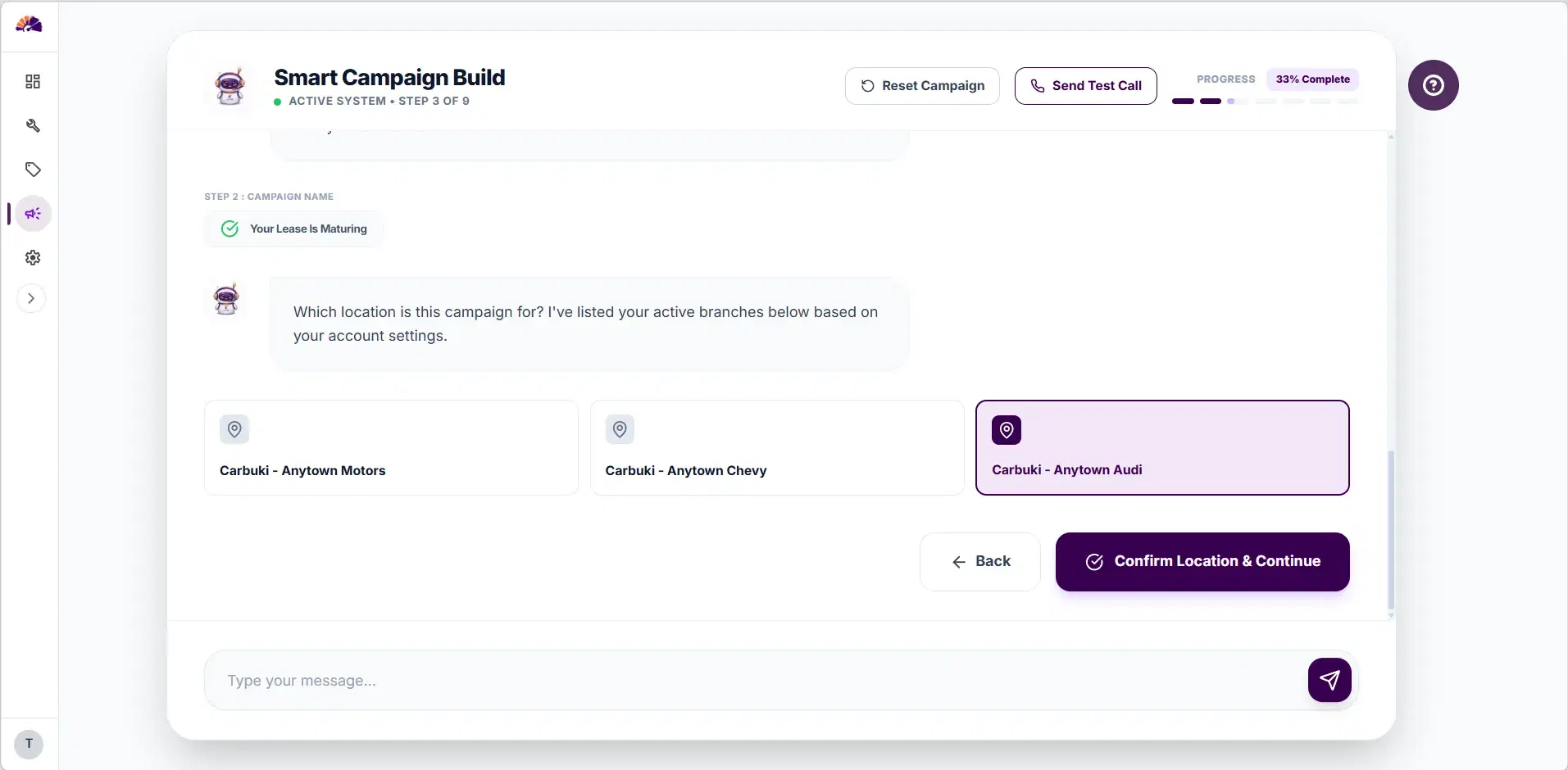
Choose your dealership
Select the dealership that this campaign belongs to. The AI agent will use the correct business info and branding when reaching out to customers.
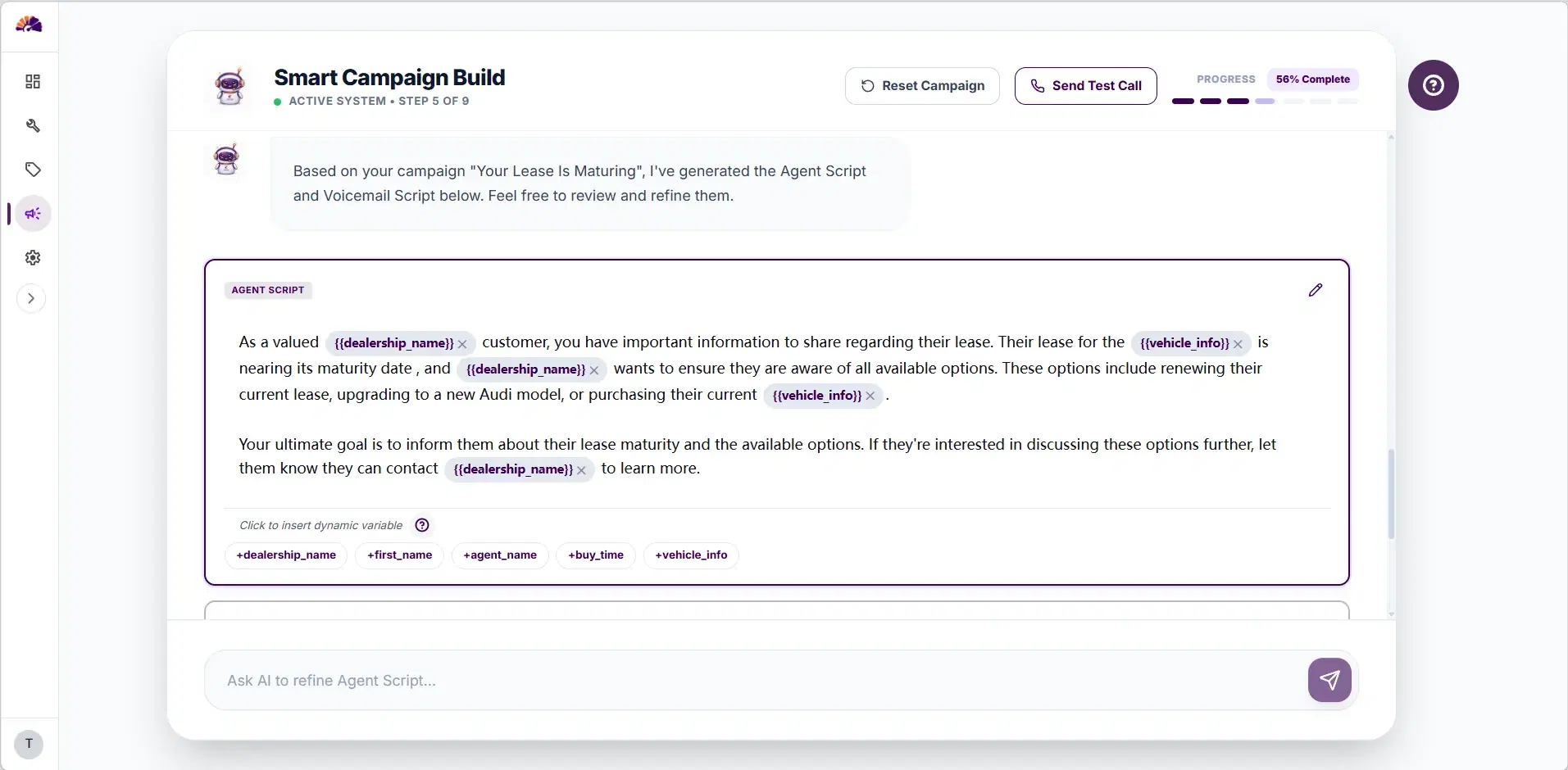
Edit the agent prompt
An agent instructions is automatically generated to clarify the agent's goal (think when you debrief a BDC team before running a new campaign).
A accompanying voicemail script is also generated. This would be the exact voicemail left at the customer's inbox when an outbound call isn't connected.
You can refine the scripts using the AI-assisted input box at the bottom.
About “dynamic variables ”: Both the agent prompt and the voicemail script include dynamic variables, these are placeholders in the scripts that will be swapped out with real customer data in each call to make every call sound personal. So instead of a generic “Hello, valued customer”, the agent actually says “Hi Sarah, this is Miles calling from Anytown Motor…”
Place the mouse at where you want to insert a dynamic variables, click the tag at the bottom of the script box to insert it.
A accompanying voicemail script is also generated. This would be the exact voicemail left at the customer's inbox when an outbound call isn't connected.
You can refine the scripts using the AI-assisted input box at the bottom.
About “dynamic variables ”: Both the agent prompt and the voicemail script include dynamic variables, these are placeholders in the scripts that will be swapped out with real customer data in each call to make every call sound personal. So instead of a generic “Hello, valued customer”, the agent actually says “Hi Sarah, this is Miles calling from Anytown Motor…”
Place the mouse at where you want to insert a dynamic variables, click the tag at the bottom of the script box to insert it.
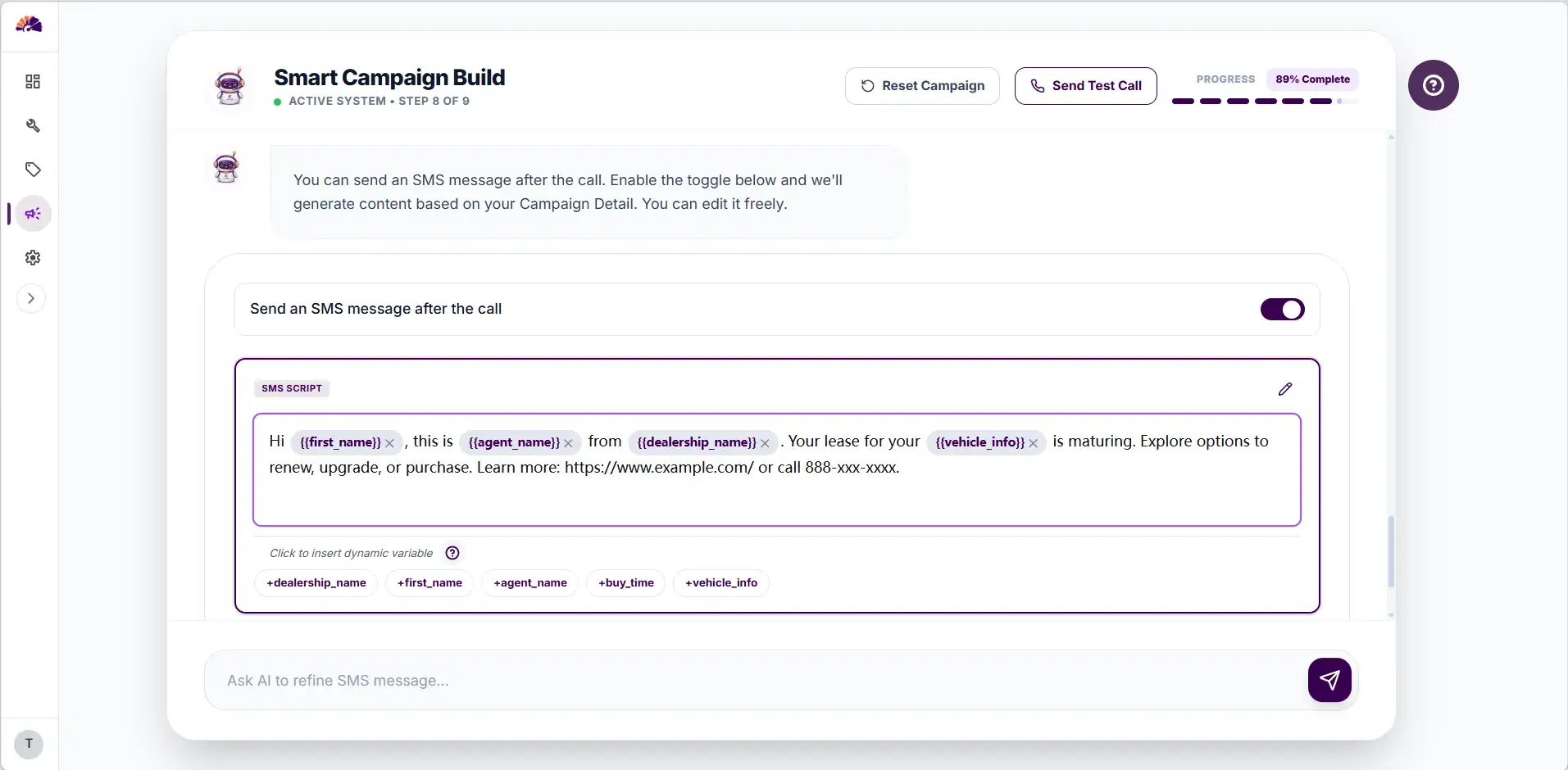
Enable SMS notifications
If you wish to enable SMS notification to accompany the campaign, Opt-in Consent form is needed.
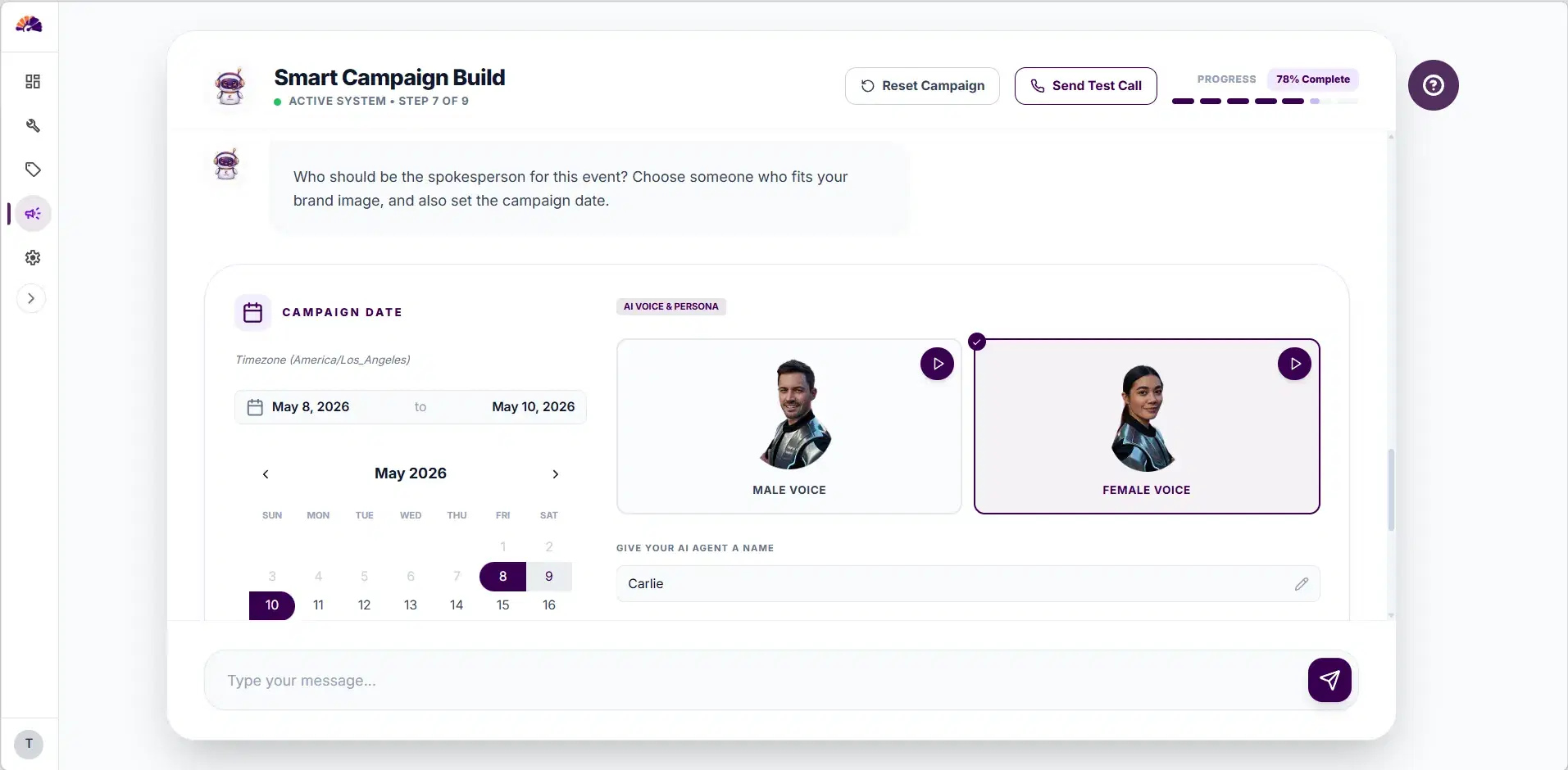
Date & Agent Step
Set the campaign date range , daily outbound time and choose the AI voice agent persona to match your campaign style.
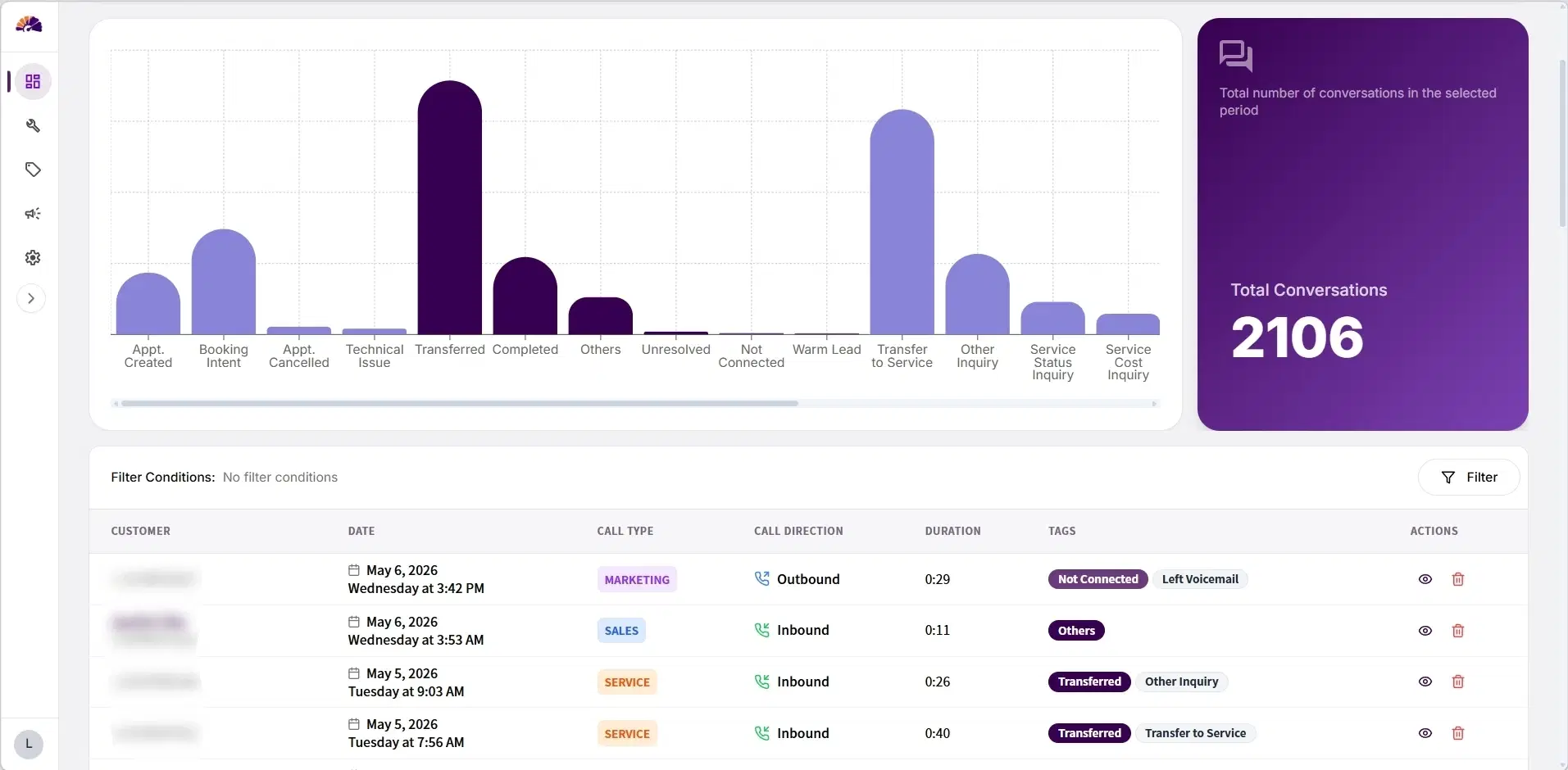
Call History Dashboard
Track every call, measure every outcome.
Outcome distribution, KPIs, and full call detail — filter by date and drill into transcripts in the live product.
portal.carbuki.com / call-history